Free AI background remover
Free AI Background Remover Online
Upload a JPG, PNG, or WebP up to 25 MB. Get a transparent PNG, white background product photo, WebP, JPG, or batch ZIP without a watermark.
Upload an image to remove its background
Drop a JPG, PNG, or WebP here. The interactive uploader is getting ready; no signup or watermark is required.
Preparing image uploader…Transparent PNGKeep the subject and remove the original background.
White backgroundCreate clean product and profile photos.
Batch editingProcess up to 20 images and export a ZIP.
Privacy note: images are processed to create your result and are not kept as a public gallery. Processing may use the configured AI provider, private/local mode, or the built-in fallback. Best results depend on image clarity and subject/background separation.
Powered by BRIA RMBG AI
Pro-quality cutouts in seconds
Real AI results — background fully removed, edges kept crisp. No watermark, full resolution, completely free.
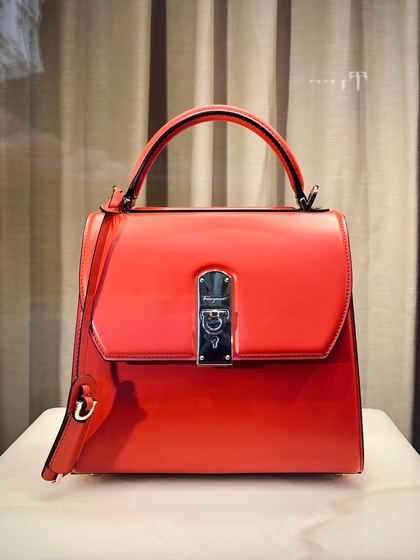 Before
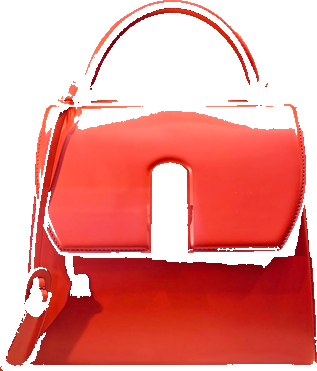 After
After Before
 After
AfterOne tool, endless uses
From single product shots to passport photos and full catalog batches.
Product photos
Transparent or white-background shots for any marketplace.
Passport & ID photos
Clean, compliant backgrounds for documents and profiles.
Ecommerce listings
Consistent catalog images for Amazon, Etsy, Shopify, eBay.
Marketing creatives
Drop subjects onto banners, ads, and social posts.
Presentations
Crisp cutouts for slides, thumbnails, and mockups.
Batch editing
Process up to 20 images at once and export a ZIP.
- Free, no signup
- No watermark
- Full resolution
- JPG · PNG · WebP
- Private/local mode
- Batch + ZIP
Full-resolution and watermark-free — unlike most paid tools
Many background removers (including remove.bg) only give a low-resolution preview for free and charge credits for the full-size file. Here every download is full resolution with no watermark.
Free full-resolution
Download the full-size PNG — no credits, no per-image fees.
No watermark
Use results commercially with nothing stamped on top.
Private by design
Use private/local mode so images are processed without a third party.
Free batch & ZIP
Process up to 20 images at once and export a ZIP — free.
Key Features
🎨
One-Click Removal
Remove backgrounds from images instantly with a single click.
📦
Batch Processing
Process up to 20 images simultaneously and download results as ZIP.
🎯
Transparent PNG
Get high-quality transparent PNG files for design and product workflows.
⚡
Fast & Free
Process images in seconds with no signup or subscription required.
How It Works
1
Upload Image(s)
Select Single Mode for one image or Batch Mode for multiple images. Drag and drop or click to browse. Supported formats: JPG, PNG, WebP (up to 25 MB each).
2
Automatic Processing
Our AI automatically detects and removes the background from your image(s). Processing typically takes 5-15 seconds per image.
3
Download Results
For single images, download a transparent PNG directly. For batch processing, download all results as a convenient ZIP file.
4
Use Anywhere
Use your transparent PNGs in design projects, product listings, profile pictures, or other creative work.
Batch Background Remover for Consistent Product Photos
Apply the same quality mode, edge refinement, output format, and seller preset settings across multiple images in one run. Failed images can be retried individually without restarting the full batch.
Privacy note: batch outputs use generated safe file names in downloads and ZIP exports.
Privacy-first processing
Your images stay private
Uploaded images are processed only to create your result — they are never published, shared, or kept as a public gallery. Enterprise deployments can also route processing to a fully private, self-hosted model server so sensitive images never leave your infrastructure, while keeping the same quality, batch, and preset workflow.
Integrations and jobs
Built for seller workflows, not only transparent PNGs
Teams can use the browser tool, developer docs, CSV job mode, and workflow snippets to create product-photo batches for marketplaces, shops, and catalog updates.
API docs
Use single-image removal, provider status, and CSV job endpoints from developer docs.
WordPress snippets
Add a WooCommerce product-photo cleanup workflow around exported product image CSVs.
Shopify snippets
Prepare marketplace-ready product images, then upload the ZIP outputs back into products.
Zapier and Make workflows
Turn spreadsheet rows into product photo cleanup jobs with row-level success reporting.
CSV job template
Switch the tool to CSV Jobs, upload a manifest with sku, image_file, preset, output_name, and output_format, then download a ZIP with row-level results.
Seller presets
Finished exports, not just cutouts
Choose a preset after background removal to create platform-ready JPG or PNG assets with the right canvas, padding, background, and shadow treatment.
Amazon Main Image
Pure white 2000x2000 JPG with tight product framing for main listing shots.
2000×2000 · JPG
Shopify Product Photo
High-resolution square image for Shopify product galleries and theme cropping.
2048×2048 · JPG
Etsy Listing Photo
White 2000x2000 JPG for listing photos that should avoid transparency.
2000×2000 · JPG
Passport Photo
Square white-background JPG helper for ID-style portraits.
600×600 · JPG
LinkedIn Headshot
Clean square headshot export for profile photos and professional bios.
1200×1200 · JPG
Instagram Product Post
Square 1080x1080 post with white canvas and soft product lift.
1080×1080 · JPG
White Background JPG
Universal white-background JPG for marketplaces, catalogs, and email.
2000×2000 · JPG
Platform rules change and category rules can be stricter. The presets speed up production, but they are not official certification from any marketplace or government agency.
Remove.bg alternative
A practical remove.bg alternative for finished assets
remove.bg is a polished specialist platform. CalculatorApp.me is being shaped around free, upload-first workflows for sellers, creators, and everyday document photos.
| Area | CalculatorApp.me | remove.bg |
|---|---|---|
| Best fit | Free web workflow for product photos, passport photos, and quick batch edits. | Mature dedicated background-removal platform with apps, API, and integrations. |
| First-screen workflow | Upload first, then choose transparent, white, WebP, JPG, background swap, or product preset output. | Upload first, with strong one-click removal and built-in editor options. |
| Batch work | Up to 20 images with consistent settings, ZIP download, retry, and controlled concurrency. | Bulk tooling is available as part of its established product suite. |
| Seller presets | Amazon, Shopify, Etsy, passport, LinkedIn, Instagram, and white JPG outputs are built into the tool. | General-purpose editor plus separate integrations for professional workflows. |
| Transparency | Clear no-permanent-gallery privacy copy and provider-aware processing disclosure. | Published policies and enterprise workflows from a specialist vendor. |
How to Change Photo Background Online
Change your photo background in seconds — no Photoshop, no software, no signup. Our free AI background remover detects your subject automatically, then lets you swap in any background you want.
- 1
Upload Your Photo
Click Upload or drag your image into the tool. Supports JPG, PNG, and WebP up to 25 MB. You can also paste an image URL directly.
- 2
AI Removes the Background
Our AI instantly detects and removes the original background, leaving your subject on a transparent layer.
- 3
Choose Your New Background
Select a solid color (white, black, or any custom hex), blur effect, gradient, or upload your own background image.
- 4
Download — No Watermark
Download your edited photo as a transparent PNG or with the new background applied. Full resolution, completely free.
Popular Use Cases
- →Product photography for ecommerce stores
- →Profile pictures for social media
- →Passport-style and ID photo backgrounds
- →Real estate property photos
- →Logo and graphic design backgrounds
- →Portrait retouching and photo editing
- →Creating custom graphics and overlays
- →Preparing images for web design
Product Photo Background Remover — Use Cases
Online Store Listings
Produce clean product shots on a white or transparent background for Shopify, WooCommerce, Etsy, Amazon-style listings, and other ecommerce platforms.
Marketplace Product Presets
Prepare square product images with presets for Amazon main images, Shopify product galleries, Etsy listing photos, and universal white background JPG exports.
Social Media Product Posts
Create 1080×1080 Instagram product posts by placing subjects on a white canvas with optional soft shadow for a finished social asset.
Headshots & Passport-Style Portraits
Export clean white-background LinkedIn headshots and passport-style square portraits, with clear reminders to verify official submission rules.
Catalogue & Print Layouts
Extract product subjects as transparent PNGs and place them into catalogue templates, brochures, and print layouts with full flexibility.
White Background JPEGs
Convert any product photo to a clean white background JPEG — suitable for product listings that require a pure white (#FFFFFF) background.
Brand & Marketing Assets
Generate brand-consistent product visuals by placing removed backgrounds onto branded color backgrounds or lifestyle scenes.
Why Choose Our Background Remover?
✓Completely free - no hidden charges
✓No software or app installation needed
✓Works on any device with a browser
✓Secure processing with no permanent image gallery
✓Private/local provider mode for self-hosted licensed models
✓API docs, integration snippets, and CSV job mode for ecommerce teams
✓Batch processing saves time
✓High-quality transparent PNG output
✓Fast processing powered by AI
✓No watermarks or quality reduction
Passport Size Photo Background Change
Need an ID-style or resume photo with a clean background? Upload your photo, remove the existing background, then apply a plain white background or use the passport-style preset. Official passport and visa submissions can reject edited or AI-altered photos, so verify the current rules before submitting.
- ✓Create a white-background ID-style photo
- ✓Use a 600×600 passport-style square preset
- ✓Remove background from resume or CV photo
- ✓Change profile photo background color online
- ✓Download an ID-style JPG or transparent PNG
- ✓No watermarks for quick portrait edits
Your Images Are Safe
✓ No Permanent Gallery: Files are handled only to complete the requested edit and are not published or kept as reusable public assets.
✓ Secure Transfer: All data transfers are encrypted using HTTPS. Your files are protected during upload and processing.
✓ Provider-Aware Processing: Some AI tools may use a configured processing provider, and image data is sent only when needed to generate your result.
For developers
Automate background removal with our API
Integrate batch background removal into your store, app, or pipeline. REST endpoints, quality modes, and output formats — with full documentation and examples.
Frequently Asked Questions about Background Removal
How do I remove the background from an image?
Using our Background Remover is simple: 1) Upload your image (JPG, PNG, or WebP), 2) Click "Remove Background", 3) Wait a few seconds for processing, 4) Download your transparent PNG. No software needed!
Can I download a transparent PNG?
Yes. When you remove the background from an image, we provide a transparent PNG file. The output preserves the detected subject while removing the background, making it useful for compositing and design work.
Can I remove backgrounds from multiple images?
Absolutely! Switch to Batch Mode and upload up to 20 images at once. Our tool will process them concurrently and provide all results in a single ZIP file for convenient downloading.
Are uploaded images stored permanently?
No. Uploaded images are processed to create your result and are not kept as a public gallery. Depending on the configured processing provider, files may be transmitted securely for background removal and then discarded after processing.
Can background removal run in private or local mode?
Yes. Production deployments can set BG_REMOVAL_PROVIDER=local and route uploads to a self-hosted background-removal model endpoint. This keeps processing inside your own infrastructure when a properly licensed model is configured. The app does not bundle BRIA RMBG-2.0 weights; BRIA self-hosting in production requires the correct commercial license.
Which image formats are supported?
Our Background Remover supports JPG, PNG, and WebP formats. Each image can be up to 25 MB. If you have images in other formats (GIF, BMP, TIFF), convert them to PNG or JPG first.
How long does background removal take?
Processing typically takes 5-15 seconds per image, depending on image complexity and size. For batch processing, images run concurrently with retry/backoff handling for temporary provider or network errors.
Is the background removal accurate?
Background removal works best for portraits, product photos, and objects with clear subject/background separation. Edge quality can vary with motion blur, low contrast, hair, fur, glass, shadows, or cluttered backgrounds, so review the Original vs AI Result preview before downloading.
Can I remove backgrounds from video?
Currently, our tool supports image files only. For videos, you would need to extract frames as images, process them individually, and then reassemble them. Desktop video editing software is better suited for video background removal.
Can I use this for product photos?
Yes. Our Background Remover works well for product photography. Upload your product image, remove the background, and download a transparent PNG. You can then place the subject on any background — white, custom color, or a scene — for use in online stores, catalogues, and marketing materials.
Can I make a white background product photo?
Yes. After removing the background, use the Product Photo presets to export a white-background square JPEG. Presets are available for Amazon-style main images, Shopify product photos, Etsy listing photos, Instagram product posts, LinkedIn headshots, passport-style portraits, and a universal white background JPG.
Is there an API or CSV job mode for ecommerce teams?
Yes. Developer docs are available at /developers/bg-removal with single-image API examples, provider status, WordPress and Shopify snippets, Zapier/Make-style workflows, and CSV job mode. CSV jobs accept sku, image_file, preset, output_name, and output_format rows, then return a ZIP plus row-level status.
How do I change the background of a photo?
To change your photo background: 1) Upload your image to our Background Remover. 2) Our AI removes the original background automatically. 3) Open the Background Options panel and choose a new background — solid color, gradient, blur effect, or a custom image you upload. 4) Download the result as a transparent PNG or with the background applied. The whole process takes under 30 seconds.
Is there a free AI background remover?
Yes — our Background Remover is completely free. No subscription, no hidden charges, no watermarks. It uses AI to automatically detect and remove image backgrounds in seconds. You can process single images or batch-remove backgrounds from up to 20 images at once, all at no cost.
Can I change my passport photo background online?
You can create a passport-style white background image with the Product Photo presets or the Background Options panel. This is a helper for ID-style portraits, not an official compliance checker. Passport and visa agencies may reject edited or AI-altered photos, so check the exact rules before submitting.
How do I change the background color of a photo online?
After removing the background with our AI tool, open the Background Options panel and select "Custom Color". Use the color picker to choose any color — white, black, or any custom hex code. Click Apply and download your photo with the new solid background color. Pre-set swatches are available for the most common use cases.
Is this a free alternative to Adobe background remover?
Yes. Our tool offers free, AI-powered background removal comparable to Adobe Photoshop and Adobe Express background remover features — but with no subscription or software installation required. Simply open the page, upload your image, and download the result instantly.
How do I remove a background without Photoshop?
You do not need Photoshop to remove a background. Our free online tool uses AI to automatically detect and remove backgrounds from any photo. Upload your JPG or PNG, click Remove Background, and download a transparent PNG — all in your browser with zero software to install.
Background removal guide
Learn how to create consistent product photos
Follow the seven-step workflow for clean cutouts, transparent PNG masters, white-background JPG exports, edge checks, file naming, and consistent catalogue batches.
Read the product photo background guide →Ready to Remove Image Backgrounds?
Start removing backgrounds for free. No signup required.
Open Background Remover✓ Processing is secure and fast • Images are not kept as permanent public assets
Questions? Visit our FAQ or Contact Us
Need a different image tool?
All Image ToolsConvert, compress, resize, and crop images — free and private.Compress ImageShrink JPG, PNG, and WebP files to a target size in your browser.Resize ImageResize photos by pixels or social presets without losing aspect ratio.JPG to PNGConvert JPG images to lossless PNG instantly.PDF EditorMerge, split, compress, and watermark PDF files online.All Calculators150+ free calculators for finance, health, math, and more.