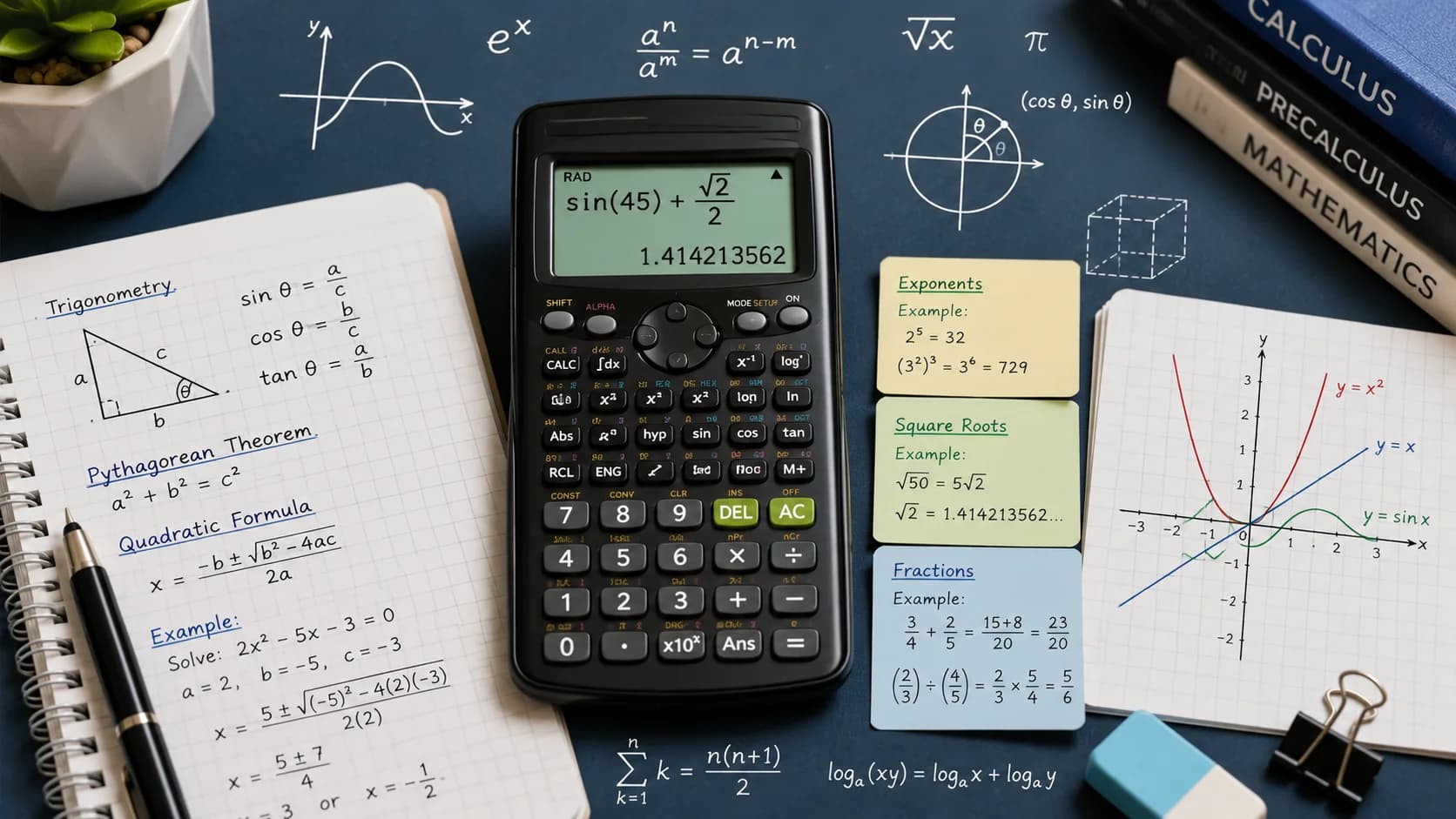
Scientific Calculator: How to Use Every Function (With Real Examples)
Free Calculator
Scientific Calculator
Table of Contents
Most People Use 10% of a Scientific Calculator
The four arithmetic operations, maybe a square root. The rest of the buttons sit unused. This guide walks through every major scientific calculator function — what it does, when you need it, and how to avoid the mistakes that produce wrong answers.
Our scientific calculator handles all of these. Bookmark this page as a reference.
Order of Operations (The Source of Most Errors)
Before any functions: scientific calculators follow PEMDAS/BODMAS strictly.
PEMDAS: Parentheses → Exponents → Multiplication/Division → Addition/Subtraction
The trap: Entering 2 + 3 × 4 without parentheses gives 14 (correct), but many people expect 20. The calculator multiplies first.
Always use parentheses when in doubt:
(2 + 3) × 4 = 202 + 3 × 4 = 14
Exponents and Powers
Button: yˣ or ^
Raises a number to any power.
| Expression | Calculator Input | Result |
|---|---|---|
| 2⁸ | 2 ^ 8 | 256 |
| 5³ | 5 ^ 3 | 125 |
| 10⁶ | 10 ^ 6 | 1,000,000 |
| 2⁻³ | 2 ^ (−3) | 0.125 |
Negative exponents = reciprocal: 2⁻³ = 1/2³ = 1/8 = 0.125
Square Root and Nth Root
Square root (√x): Returns the number that, when squared, gives x.
√144 = 12 (because 12² = 144)
Cube root (∛x or x^(1/3)): Most calculators use x^(1/3) for cube roots.
∛27 = 27^(1/3) = 3
Nth root: x^(1/n)
4th root of 81 = 81^(0.25) = 3 (because 3⁴ = 81)
Trigonometry on a Scientific Calculator: Sin, Cos, Tan
Degree Mode vs. Radian Mode — How to Switch
This is the single most important setting on your scientific calculator. The wrong mode produces completely wrong answers with no error message.
- Degree mode: Angles measured in degrees (0–360). Best for everyday geometry, construction, and navigation problems.
- Radian mode: Angles measured in radians (0–2π). Required for calculus, physics formulas, and higher mathematics.
To switch modes, look for a MODE or DRG button on your calculator. On a Casio fx-991, press SHIFT → MODE → 3 for degrees or SHIFT → MODE → 4 for radians. On a TI-30, press the DRG key to toggle. Your display will show DEG or RAD — always verify this before a trig problem.
Right Triangle Examples
For a right triangle with a 40° angle, hypotenuse = 10:
- Opposite side = 10 × sin(40°) = 10 × 0.6428 = 6.43
- Adjacent side = 10 × cos(40°) = 10 × 0.7660 = 7.66
- tan(40°) = 0.6428 ÷ 0.7660 = 0.839
Unit Circle Quick Reference
| Angle (°) | Angle (rad) | sin | cos | tan |
|---|---|---|---|---|
| 0° | 0 | 0 | 1 | 0 |
| 30° | π/6 | 0.5 | 0.866 | 0.577 |
| 45° | π/4 | 0.707 | 0.707 | 1 |
| 60° | π/3 | 0.866 | 0.5 | 1.732 |
| 90° | π/2 | 1 | 0 | undefined |
Inverse Trig Functions (arcsin, arccos, arctan)
Inverse trig functions work backward — given a ratio, find the angle. On most calculators, these are accessed via SHIFT or 2nd + the trig key.
- sin⁻¹ (arcsin): Given opposite/hypotenuse, finds the angle. sin⁻¹(0.5) = 30°
- cos⁻¹ (arccos): Given adjacent/hypotenuse, finds the angle. cos⁻¹(0.707) ≈ 45°
- tan⁻¹ (arctan): Given opposite/adjacent, finds the angle. tan⁻¹(1) = 45°
Worked example: A ramp rises 3 ft over a 12 ft horizontal run. What angle is it?
tan(θ) = 3 ÷ 12 = 0.25
θ = tan⁻¹(0.25) = 14.04°
Logarithm and Exponential Functions
log vs. ln — The Critical Distinction
These two buttons cause more confusion than any other pair on a scientific calculator:
- log = common logarithm, base 10. Asks: "10 to what power equals x?" log(1000) = 3 because 10³ = 1000.
- ln = natural logarithm, base e (≈ 2.71828). Asks: "e to what power equals x?" ln(e) = 1, ln(1) = 0, ln(100) ≈ 4.605.
The e^x Key
The e^x key (often accessed via SHIFT + ln) raises Euler's number to a given power. This is the inverse of ln:
- e^1 ≈ 2.718
- e^2 ≈ 7.389
- e^0 = 1 (always)
Real Applications with Worked Examples
pH Calculation: pH = −log[H⁺]
A solution has [H⁺] = 3.2 × 10⁻⁴ mol/L.
Enter: −log(3.2 EE −4) = −(−3.495) = pH 3.5 (acidic)
Decibel Scale: dB = 10 × log(I/I₀)
A sound has intensity 1000 times the threshold.
dB = 10 × log(1000) = 10 × 3 = 30 dB
Compound Interest: A = P × e^(rt) for continuous compounding.
$1,000 at 5% for 10 years: A = 1000 × e^(0.05 × 10) = 1000 × e^0.5 = 1000 × 1.6487 = $1,648.72
Use our percentage calculator for simpler interest problems, or the logarithm approach above for continuous compounding.
Log of Any Base
log_b(x) = ln(x) ÷ ln(b)
log₂(32) = ln(32) ÷ ln(2) = 3.466 ÷ 0.693 = 5 (because 2⁵ = 32)
Scientific Notation: Using the EE or EXP Key
How to Enter 6.02 × 10²³
Scientific notation writes very large or very small numbers as a × 10ⁿ. The EE or EXP key is specifically designed for this — it enters "× 10^" as a single operation.
To enter Avogadro's number (6.02 × 10²³):
Press: 6.02 → EE → 23 → =
Do not enter 6.02 × 10 ^ 23 — while it gives the same standalone result, inside a larger expression this can cause order-of-operations errors because the calculator may apply a following operation to just the 10^23 part, not the full number.
Converting Between Formats
| Standard Number | Scientific Notation | EE Entry |
|---|---|---|
| 6,200,000 | 6.2 × 10⁶ | 6.2 EE 6 |
| 0.00045 | 4.5 × 10⁻⁴ | 4.5 EE −4 |
| 299,792,458 | 2.998 × 10⁸ | 2.998 EE 8 |
| 0.000000000911 | 9.11 × 10⁻³¹ | 9.11 EE −31 |
Why Scientists Use Scientific Notation
Scientific notation prevents errors when working with extreme values and makes it easy to compare magnitudes at a glance. It also preserves significant figures — 6.02 × 10²³ implies three significant figures, whereas writing 602000000000000000000000 is ambiguous.
Common Scientific Constants in EE Form
- Speed of light: 2.998 EE 8 m/s
- Electron mass: 9.109 EE −31 kg
- Avogadro's number: 6.022 EE 23 mol⁻¹
- Planck's constant: 6.626 EE −34 J·s
- Charge of electron: 1.602 EE −19 C
Calculator Memory Functions: M+, M−, MR, MC, MS
What Each Button Does
| Button | Full Name | What It Does |
|---|---|---|
| M+ | Memory Add | Adds current display value to memory |
| M− | Memory Subtract | Subtracts current display value from memory |
| MR or RCL | Memory Recall | Displays the value stored in memory |
| MC or CM | Memory Clear | Resets memory to zero |
| MS | Memory Store | Stores current display value, replacing previous memory |
Step-by-Step Example: Multi-Step Calculation with Memory
You're calculating a materials estimate: 3 separate sub-areas at $12.50/sq ft each.
- Press
MCto clear memory (start fresh) - Calculate Area 1:
8.5 × 12.50 = 106.25→ pressM+ - Calculate Area 2:
6.0 × 12.50 = 75.00→ pressM+ - Calculate Area 3:
11.25 × 12.50 = 140.625→ pressM+ - Press
MR→ display shows 321.875 (total cost)
Memory functions eliminate transcription errors — you never write down an intermediate result and risk misreading your own handwriting. The "M" indicator on your display confirms memory is active.
M− use case: Running a budget, you've stored total income in memory. As you calculate each expense, press M− to subtract it. MR at the end shows remaining budget.
Scientific vs. Graphing vs. CAS Calculator: Which Do You Need?
| Feature | Scientific Calculator | Graphing Calculator | CAS Calculator |
|---|---|---|---|
| Typical cost | $10–$25 | $80–$150 | $150–$200+ |
| Graphs functions | No | Yes | Yes |
| Symbolic algebra | No | No | Yes |
| SAT/ACT allowed | Yes | Most models yes | Some models restricted |
| AP Exams allowed | Yes | Yes (required for AP Calc) | Varies by exam |
| Solves equations symbolically | No | No | Yes |
| Best for | Algebra, trig, chemistry, physics | Pre-calc, calculus, statistics | Advanced math, engineering |
| Popular models | Casio fx-991, TI-30X | TI-84 Plus, Desmos (free) | TI-Nspire CX CAS, HP Prime |
Recommendations by Use Case
- High school algebra/trig: Scientific calculator — the Casio fx-991EX or TI-30X IIS is all you need and costs under $20.
- AP Calculus or Statistics: Graphing calculator — TI-84 Plus is the de facto standard; your teacher will likely demonstrate on one.
- Online / everyday use: Our free scientific calculator covers all the functions on this page at no cost.
- College engineering or advanced math: CAS calculator or free software (Wolfram Alpha, GeoGebra) for symbolic manipulation.
Factorial (n!)
Button: n! or x!
n! = n × (n−1) × (n−2) × … × 1
- 5! = 5 × 4 × 3 × 2 × 1 = 120
- 10! = 3,628,800
- 0! = 1 (by definition)
Used in: Combinations, permutations, probability.
Combinations formula: C(n,r) = n! ÷ (r! × (n−r)!)
How many ways to choose 3 items from 10?
C(10,3) = 10! ÷ (3! × 7!) = 3,628,800 ÷ (6 × 5,040) = 120
The ANS Key
On most calculators, ANS holds the last result. Use it to chain calculations:
- Calculate 145 × 1.08 = 156.6
- Press ANS × 1.08 = 169.13
- Press ANS × 1.08 = 182.66
This applies 8% growth three times in sequence. Faster than retyping the result each time.
5 Common Scientific Calculator Mistakes
Mistake 1: Wrong Mode (Degrees vs. Radians)
This is the most frequent error in trig problems. sin(30°) = 0.5 in degree mode, but sin(30) ≈ −0.988 in radian mode. Always glance at the mode indicator — DEG or RAD — before pressing any trig key. Make it a habit before every problem, not just when you suspect an error.
Mistake 2: Order of Operations Errors
Calculators follow PEMDAS strictly; humans often forget. The most dangerous case: entering a fraction numerator without parentheses. For (4 + 6) ÷ 2, typing 4 + 6 ÷ 2 gives 7, not 5. Always wrap numerators and denominators in parentheses: (4 + 6) ÷ 2.
Mistake 3: Forgetting Parentheses Around Negative Exponent Bases
On most scientific calculators, −3² computes as −(3²) = −9, not (−3)² = 9. The negative sign is applied after the squaring. If you need to square a negative number, always type (−3)² = 9 with explicit parentheses.
Mistake 4: Misreading Display Notation
Some calculators display 1.5E3 to mean 1.5 × 10³ = 1,500. Others show 1.5³ which could look like an exponent but means something different in context. If you see an "E" or small superscript in the display, confirm whether it's a power-of-10 (scientific notation) or an actual exponent before using the result.
Mistake 5: Using the Wrong Inverse Function
sin⁻¹ does not mean 1/sin. On a calculator, sin⁻¹(x) is arcsin — it returns an angle. 1/sin(x) is cosecant (csc). If you want the reciprocal of sine, calculate sin(x) first, then use the 1/x or x⁻¹ key. Pressing sin⁻¹ when you mean 1/sin will produce a completely different value.
Related Math Calculators
- Percentage Calculator — all 5 percentage problem types
- Binary Calculator — binary, hex, and octal conversions
- Standard Deviation Calculator — statistics for any dataset
- Quadratic Equation Solver — find roots with the quadratic formula
Frequently Asked Questions
How do I calculate 2 to the power of 10 on a scientific calculator?
Press 2, then the yˣ or ^ key, then 10, then =. Result: 1,024.
What is the difference between log and ln?
log (common logarithm) uses base 10: log(1000) = 3. ln (natural logarithm) uses base e ≈ 2.718: ln(1000) ≈ 6.908. Use log for pH and decibels; use ln for continuous growth and decay problems.
Why does sin(90) not equal 1 on my calculator?
Your calculator is in Radian mode. sin(90 radians) ≈ 0.894. Switch to Degree mode: sin(90°) = 1.
How do I enter a fraction on a scientific calculator?
Use the division key: 3/4 = 0.75. For mixed numbers, use parentheses: 2 + (3/4) = 2.75. Some calculators have a dedicated fraction key (a b/c) that keeps results as fractions.
Can I use a scientific calculator on the SAT or ACT?
Yes. Scientific calculators are permitted on both the SAT and ACT. Graphing calculators are also allowed on most sections. CAS calculators are restricted on some standardized tests — check the specific exam's approved calculator list before test day. When in doubt, a Casio fx-991 or TI-30X is universally accepted.
What does the FIX, SCI, and NORM setting do on a scientific calculator?
These control how numbers are displayed. FIX sets a fixed number of decimal places (e.g., FIX 2 shows 3.14159 as 3.14). SCI forces scientific notation display (3.14159 becomes 3.14 × 10⁰). NORM returns to standard display. For most calculations, leave the calculator in NORM mode and switch to FIX when you need a specific number of decimal places in a final answer.
How do I clear just the last entry vs. clearing everything on a scientific calculator?
Most calculators have two clear functions: DEL or ← deletes the last digit entered (like a backspace), while AC (All Clear) or ON/C clears the entire current calculation. AC does not clear memory — use MC for that. Getting comfortable with these three separate clear functions saves significant frustration during long calculations.
Related Calculators
Try these free calculators related to this article:
In-Depth Guides
Dive deeper with our comprehensive guides on this topic:
Frequently Asked Questions
Our Methodology
All math content on CalculatorApp.me is reviewed by subject-matter experts, cross-referenced with official sources, and updated regularly for accuracy. Our formulas and data are verified against industry standards and government publications.
Jordan Hayes
Verified AuthorPersonal Finance Content Strategist
Jordan is a personal finance content strategist with 9+ years writing about mortgages, retirement, tax strategy, and budgeting. Every guide is cross-referenced with IRS publications, Federal Reserve data, and CFPB guidance to make complex calculations accessible. Editor at CalculatorApp.me.
Found this helpful? Share it!
Stay Updated
Get notified when we launch new calculators and features.
No spam. Unsubscribe anytime.