Percentage Calculator: 5 Types of Percentage Problems (Solved)
Free Calculator
Percentage Calculator
Table of Contents
Why Percentage Problems Confuse People
Most people can handle "what is 20% of 80?" But ask "80 is 20% of what number?" or "what percentage did the price increase from $45 to $63?" and the same people freeze. These are the same underlying math — just rearranged — but the rearrangement breaks the mental model most of us learned in school.
Master every percentage technique in our complete Percentage & Math Guide.
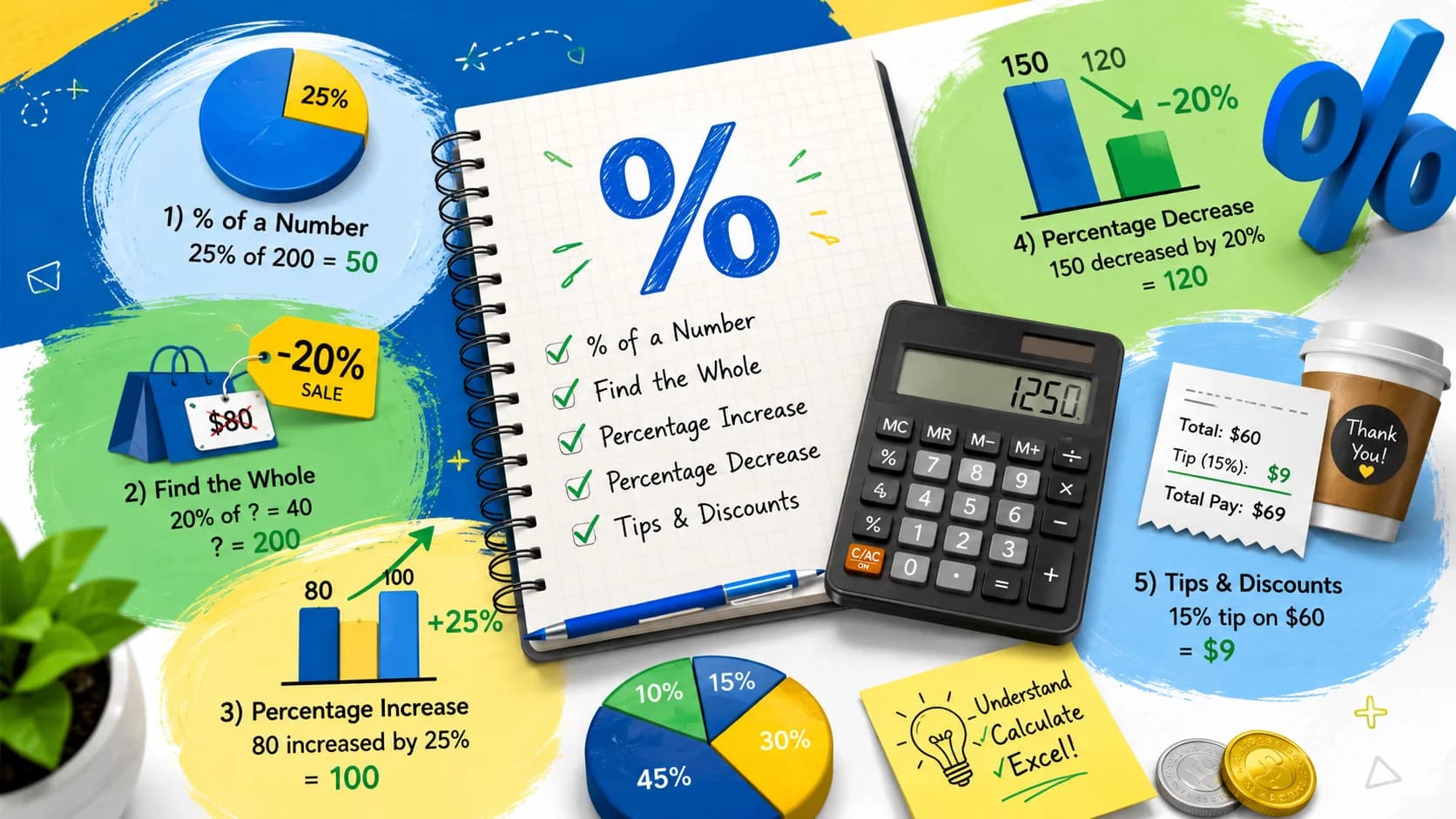
This guide covers all five percentage problem types, shows the formula for each, and explains when to use which. Our percentage calculator handles all five in one tool.
The 5 Types of Percentage Problems
Type 1: What is X% of Y?
Formula: Result = (Percentage ÷ 100) × Whole
This is the most familiar type.
Examples:
- What is 15% of $340 (tip calculation)? → 0.15 × 340 = $51.00
- What is 8.5% of $2,400 (sales tax)? → 0.085 × 2,400 = $204.00
- What is 35% of 220 pounds (weight loss goal)? → 0.35 × 220 = 77 pounds
Type 2: X is What Percent of Y?
Formula: Percentage = (Part ÷ Whole) × 100
Use this when you have both numbers and need to find the ratio.
Examples:
- 45 out of 60 questions correct on a test: 45 ÷ 60 × 100 = 75%
- You earned $3,200 and saved $480: 480 ÷ 3,200 × 100 = 15% savings rate
- 1,200 of 8,000 residents voted: 1,200 ÷ 8,000 × 100 = 15% turnout
Type 3: X is Y% of What Number?
Formula: Whole = Part ÷ (Percentage ÷ 100)
This is the one that trips people up most. You know the result and the percentage — you need the original number.
Examples:
- 42 is 35% of what number? → 42 ÷ 0.35 = 120
- A shirt costs $27 after a 25% discount. What was the original price? → $27 ÷ 0.75 = $36.00
- You passed the test scoring 84 points, which was 70% of the maximum. What is the maximum? → 84 ÷ 0.70 = 120 points
Type 4: Percentage Increase
Formula: % Increase = ((New − Old) ÷ Old) × 100
Use when a value goes up and you want the percentage change.
Examples:
- Price rose from $45 to $63: (63 − 45) ÷ 45 × 100 = 18 ÷ 45 × 100 = 40% increase
- Salary went from $58,000 to $65,000: (65,000 − 58,000) ÷ 58,000 × 100 = 12.1% raise
- Website traffic went from 1,200 to 1,860 visits: (1,860 − 1,200) ÷ 1,200 × 100 = 55% increase
Type 5: Percentage Decrease
Formula: % Decrease = ((Old − New) ÷ Old) × 100
Same formula as increase, just inverted. The result is always positive — the sign of the change tells you direction.
Examples:
- Price dropped from $120 to $78: (120 − 78) ÷ 120 × 100 = 42 ÷ 120 × 100 = 35% off
- Population fell from 24,000 to 21,600: (24,000 − 21,600) ÷ 24,000 × 100 = 10% decrease
- Calorie intake reduced from 2,400 to 1,920: (2,400 − 1,920) ÷ 2,400 × 100 = 20% reduction
Percentage Formulas Quick Reference
Use this table to instantly identify which formula applies to your problem. Each formula maps to one of the five types above.
| Formula Name | Formula | Example | Result |
|---|---|---|---|
| Percent of a Number | Result = (% ÷ 100) × Whole | What is 20% of 250? | 50 |
| What Percent Is X of Y | % = (Part ÷ Whole) × 100 | 36 is what % of 144? | 25% |
| Find the Whole from a Part | Whole = Part ÷ (% ÷ 100) | 60 is 75% of what? | 80 |
| Percentage Increase | % Change = ((New − Old) ÷ Old) × 100 | From $50 to $65 | 30% increase |
| Percentage Decrease | % Change = ((Old − New) ÷ Old) × 100 | From 200 to 150 | 25% decrease |
Real-World Percentage Calculations
Percentages appear in nearly every financial and personal decision. Here are six practical scenarios you'll encounter regularly — with the exact math shown step by step.
1. Sales Tax
You're buying a laptop priced at $899. Your state charges 7.25% sales tax. How much do you actually pay?
- Tax amount: $899 × 0.0725 = $65.18
- Total price: $899 + $65.18 = $964.18
Shortcut: Multiply the price by (1 + tax rate). $899 × 1.0725 = $964.18.
2. Restaurant Tip
Your dinner bill is $87.50. You want to leave an 18% tip.
- Tip amount: $87.50 × 0.18 = $15.75
- Total with tip: $87.50 + $15.75 = $103.25
Quick mental math: 10% = $8.75. Add half again (5% = $4.38) plus another 3% ≈ $2.63. Total ≈ $15.76. Use our tip calculator to split bills automatically.
3. Grade Calculation
You scored 73 out of 85 points on an exam. What is your grade percentage?
- Grade: (73 ÷ 85) × 100 = 85.9%
Most grading scales: 90–100% = A, 80–89% = B, 70–79% = C, 60–69% = D, below 60% = F.
4. Stock Gain/Loss
You bought 50 shares of a stock at $42 per share. The price is now $58. What is your percentage gain?
- Cost basis: 50 × $42 = $2,100
- Current value: 50 × $58 = $2,900
- Gain: ($2,900 − $2,100) ÷ $2,100 × 100 = 38.1% gain
The same formula works for losses — the result will be negative. See the compound interest calculator to project future growth.
5. Salary Raise
Your current salary is $62,000. You negotiate a 4.5% raise. What is your new salary?
- Raise amount: $62,000 × 0.045 = $2,790
- New salary: $62,000 + $2,790 = $64,790
Always negotiate in percentage terms rather than dollar amounts — it scales with your base and carries forward to future raises.
6. Body Fat Change
Your body fat percentage dropped from 24% to 19% over three months. What is the relative percentage change?
- Relative change: (19 − 24) ÷ 24 × 100 = −20.8% reduction
- Absolute change: 24% − 19% = 5 percentage points
Note the distinction: a 20.8% relative reduction in body fat is very different from a 20.8% body fat reading. Use the BMI calculator to track related health metrics.
Percentage Change vs Percentage Points: The Difference That Matters
This is one of the most misunderstood distinctions in everyday math — and one that politicians, journalists, and advertisers exploit (often intentionally).
The Core Difference
- Percentage points = absolute difference between two percentages
- Percentage change = relative change, calculated using the original value as the base
The Classic Example: Unemployment
Unemployment falls from 6% to 4%.
- The drop is 2 percentage points (6 − 4 = 2)
- But the relative decrease is 33.3% → (6 − 4) ÷ 6 × 100 = 33.3%
A politician might say "we cut unemployment by 33%" (relative, sounds dramatic). An opponent might say "unemployment only dropped 2 points" (absolute, sounds modest). Both are mathematically correct — they're measuring different things.
Economic Examples Where It Matters
- Interest rates: The Federal Reserve raises rates from 5.25% to 5.50%. That's a 0.25 percentage point increase — but a 4.76% relative increase. Headlines often say "rates rise by a quarter point" because percentage points are clearer here.
- Voter turnout: Turnout rises from 55% to 60%. That's 5 percentage points — but a 9.1% relative increase. Saying "voter turnout increased 9%" misleads readers into thinking a much larger shift occurred.
- Mortgage rates: A rate drops from 7.2% to 6.8%. That's 0.4 percentage points, or a 5.6% relative decrease. On a $400,000 loan, that 0.4-point drop saves roughly $110/month — context makes the number meaningful.
The Rule
When two values are already expressed as percentages, use percentage points for the absolute difference. Use percentage change only when comparing to a non-percentage base (like a price, count, or quantity). When in doubt, state both.
How to Calculate Percentages in Excel and Google Sheets
Spreadsheets handle percentage math automatically — once you know the right formula syntax. These five formulas cover the vast majority of real-world percentage tasks.
1. Basic Percentage of a Number
Syntax: =B2*A2/100 or simply =B2*A2 if A2 is already formatted as a percentage.
Example: A2 = 20% (or 0.20), B2 = 500. Result: 100.
Tip: Format the percentage cell as "Percentage" in cell formatting so you can enter 20 instead of 0.20.
2. Percentage Change Between Two Values
Syntax: =(B2-A2)/A2 then format the result cell as a percentage.
Example: A2 = 80 (old), B2 = 100 (new). Result: 25% (increase).
Tip: Wrap in =ABS() if you only want the magnitude: =ABS((B2-A2)/A2).
3. Percentage of Total (Column Share)
Syntax: =B2/SUM($B$2:$B$10) — lock the denominator with $ signs so it doesn't shift when you copy the formula down.
Example: B2 = 350, total column sum = 1,400. Result: 25%.
Tip: Use this for pie chart data — each row shows its share of the total.
4. Increase a Value by a Percentage
Syntax: =A2*(1+B2) where B2 is the percentage (e.g., 0.15 for 15%).
Example: A2 = $60,000 salary, B2 = 4.5% raise → result: $62,700.
Tip: To decrease, use =A2*(1-B2). This handles both raises and discounts with one formula pattern.
5. PERCENTRANK — Where Does a Value Rank?
Syntax: =PERCENTRANK(array, x, [significance])
Example: =PERCENTRANK(A2:A20, 85) returns the percentile rank of 85 within the range A2:A20. A result of 0.75 means 85 is at the 75th percentile — better than 75% of values.
Tip: Use PERCENTRANK.INC or PERCENTRANK.EXC in newer Excel versions for inclusive vs. exclusive ranking behavior.
Common Percentage Mistakes to Avoid
These four errors appear in everything from homework assignments to news articles to financial reports. Recognizing them protects you from being misled — and from misleading others.
Mistake 1: Reversing the Base
After a 20% discount, a jacket costs $80. What was the original price? The wrong approach: $80 + 20% = $96. The right approach: $80 ÷ (1 − 0.20) = $80 ÷ 0.80 = $100.
The error happens because people add 20% back to the discounted price, but 20% of $80 is $16 — not $20. The original 20% was applied to $100, not $80. Always divide by the complement (1 − rate) to reverse a percentage reduction.
Mistake 2: Double-Counting Percentage Changes
A price increases 30%, then increases another 30%. Many people assume the total increase is 60%. It is not.
- Start: $100
- Up 30%: $100 × 1.30 = $130
- Up another 30%: $130 × 1.30 = $169
- Total increase: 69%, not 60%
Sequential percentage changes compound multiplicatively. To find the combined effect of two percentage changes of +a% and +b%, use: Combined = (1 + a/100) × (1 + b/100) − 1, then multiply by 100.
Mistake 3: Ignoring Sample Size
"Sales increased 200% in the new market!" sounds impressive — until you learn sales went from 1 unit to 3 units. A 200% increase on a tiny base is meaningless as a performance indicator.
Always pair percentage changes with absolute numbers. "Revenue grew 45% — from $2.2M to $3.2M" gives readers both the rate and the scale. Percentages without context can be selectively chosen to make any trend look dramatic or trivial.
Mistake 4: Percent vs. Percentage Point Confusion
We covered this above, but it deserves its own slot in the mistakes list because it is so pervasive. When a survey says "approval rating fell from 52% to 47%," the drop is 5 percentage points — not 5%. Saying it fell "5%" implies a relative drop from 52 to 49.4. The difference may seem minor in casual conversation, but in financial reporting, medical research, and policy analysis, it changes conclusions.
Rule of thumb: If both values you're comparing are already percentages, the difference between them is measured in percentage points, not percent.
The Most Common Percentage Mistakes (Original)
Mistake 1: Percentage Increase ≠ Percentage Decrease
A price increases 50% then decreases 50% — you might think you're back to the start. You're not.
- Start: $100
- Up 50%: $100 × 1.50 = $150
- Down 50%: $150 × 0.50 = $75
The decrease percentage applies to a larger base number. You end up at $75, not $100. This is why "buy now, it might go back down" arguments are often misleading.
Mistake 2: Basis Points vs. Percentage Points
"The interest rate went from 4% to 5%." Did it increase by 1 percentage point, or by 25%?
- 1 percentage point increase: 4% → 5% (absolute change)
- 25% relative increase: (5 − 4) ÷ 4 × 100 = 25%
Both are correct — they describe different things. In finance, a basis point = 0.01 percentage point, so 4% to 5% is 100 basis points.
Mistake 3: Reversing the Formula for Discounts
A 20% discount on a $50 item does NOT mean the item costs $50 − 20 = $30. It means $50 × 0.20 = $10 discount → $40 final price.
And working backward: if $40 is the after-discount price, the original is $40 ÷ 0.80 = $50 — not $40 + 20% = $48 (a common error).
Quick Reference: Common Percentage Shortcuts
| To Find | Shortcut |
|---|---|
| 10% of anything | Move the decimal one place left |
| 5% of anything | Find 10%, divide by 2 |
| 25% of anything | Divide by 4 |
| 50% of anything | Divide by 2 |
| 15% tip | Find 10%, add half of that |
| 20% tip | Find 10%, double it |
| 1% of anything | Move the decimal two places left |
15% tip on $64: 10% = $6.40 → half = $3.20 → total = $9.60
Percentage in Finance: Compound Growth
When a percentage applies repeatedly over time, the math is no longer additive — it's multiplicative.
Example: $10,000 invested at 8% per year for 5 years
- Year 1: $10,000 × 1.08 = $10,800
- Year 2: $10,800 × 1.08 = $11,664
- Year 3: $11,664 × 1.08 = $12,597
- Year 4: $12,597 × 1.08 = $13,605
- Year 5: $13,605 × 1.08 = $14,693
Simple (non-compound) calculation would give: $10,000 + (5 × 8% × $10,000) = $14,000 — $693 less. The difference grows dramatically over longer time periods. See the compound interest calculator for full projections.
Related Calculators
- Percentage Calculator — all 5 types in one tool
- Compound Interest Calculator — percentage growth over time
- Tip Calculator — split bills and calculate tips
- Discount Calculator — after-discount price and savings
- BMI Calculator — uses percentage calculations for body composition
Frequently Asked Questions
What is 20% of 150?
20% of 150 = 0.20 × 150 = 30.
How do I calculate a percentage increase?
Subtract the old value from the new value, divide by the old value, multiply by 100. Example: from 80 to 100 → (100 − 80) ÷ 80 × 100 = 25% increase.
How do I work out the original price after a discount?
Divide the sale price by (1 − discount rate). A $60 item after a 25% discount: $60 ÷ 0.75 = $80 original price.
What is the difference between percent and percentage point?
A percent is a relative measure (20% of something). A percentage point is an absolute difference between two percentages — going from 10% to 15% is a 5 percentage point increase, but a 50% relative increase.
How do I calculate percentage change in Excel?
Use the formula =(new_value - old_value)/old_value and format the result cell as a percentage. For example, if old value is in A2 and new value is in B2: =(B2-A2)/A2. A positive result means an increase; negative means a decrease.
Can a percentage be greater than 100%?
Yes. If something more than doubles, the percentage increase exceeds 100%. For example, revenue growing from $50,000 to $150,000 is a 200% increase. Percentages greater than 100% are common in growth metrics, but rare in proportions (you cannot have 110% of a whole).
What is the fastest way to calculate 15% mentally?
Find 10% by moving the decimal one place left, then find 5% by halving that. Add both together. For $74: 10% = $7.40, 5% = $3.70, total 15% = $11.10. This is the classic tip calculation shortcut.
Why does a 50% increase followed by a 50% decrease not return to the original value?
Because the second percentage is applied to a larger base. Starting at $100: up 50% → $150, then down 50% → $75. The 50% decrease removes $75 from $150, not $50 from $150. Percentage changes are always relative to the current value, not the starting value.
Related Calculators
Try these free calculators related to this article:
In-Depth Guides
Dive deeper with our comprehensive guides on this topic:
Frequently Asked Questions
Our Methodology
All math content on CalculatorApp.me is reviewed by subject-matter experts, cross-referenced with official sources, and updated regularly for accuracy. Our formulas and data are verified against industry standards and government publications.
Jordan Hayes
Verified AuthorPersonal Finance Content Strategist
Jordan is a personal finance content strategist with 9+ years writing about mortgages, retirement, tax strategy, and budgeting. Every guide is cross-referenced with IRS publications, Federal Reserve data, and CFPB guidance to make complex calculations accessible. Editor at CalculatorApp.me.
Found this helpful? Share it!
Stay Updated
Get notified when we launch new calculators and features.
No spam. Unsubscribe anytime.