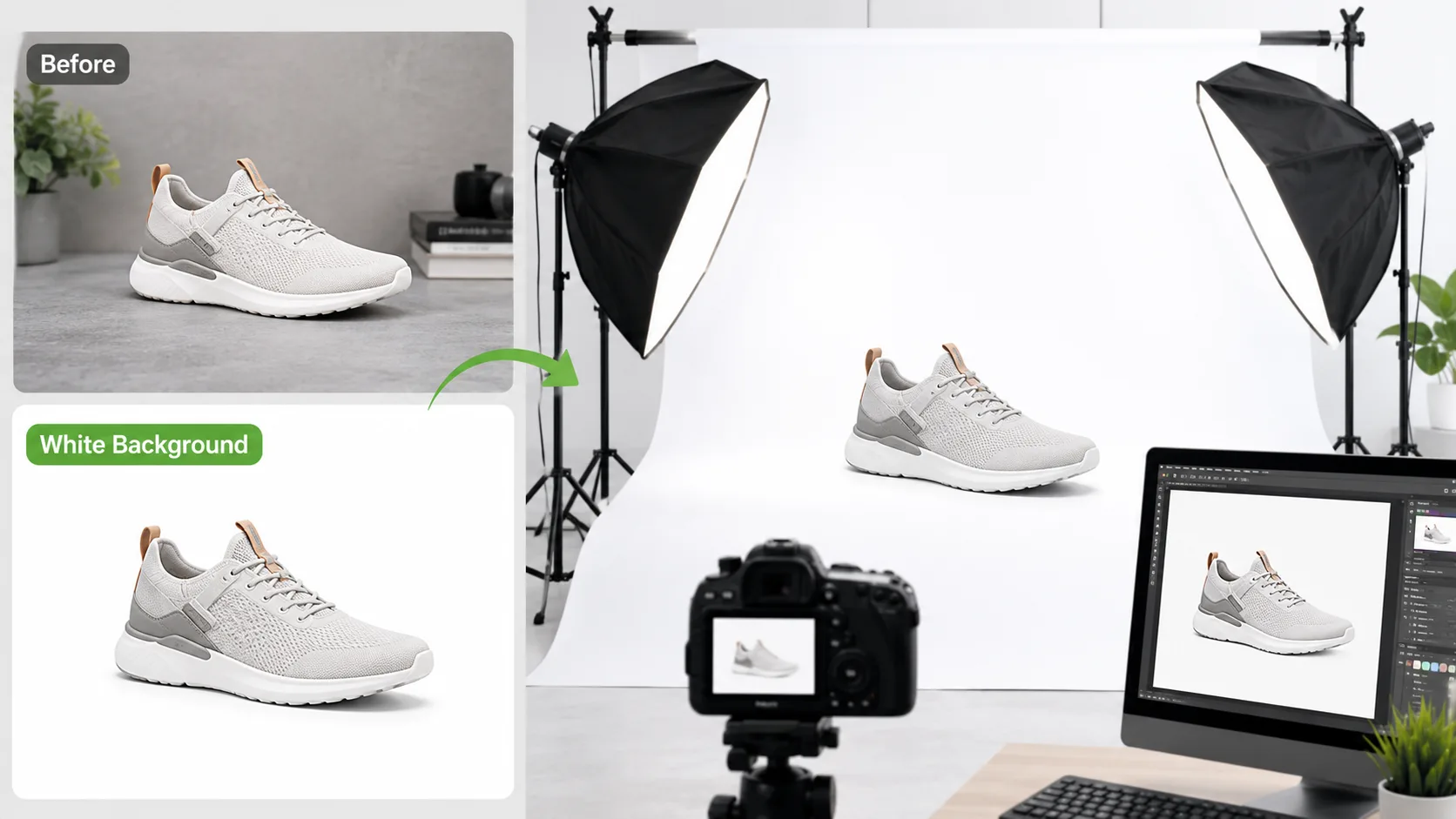
How to Get a White Background for Product Photos (Amazon, eBay & Etsy Guide)
Table of Contents
How to Get a White Background for Product Photos (Amazon, eBay & Etsy Guide)
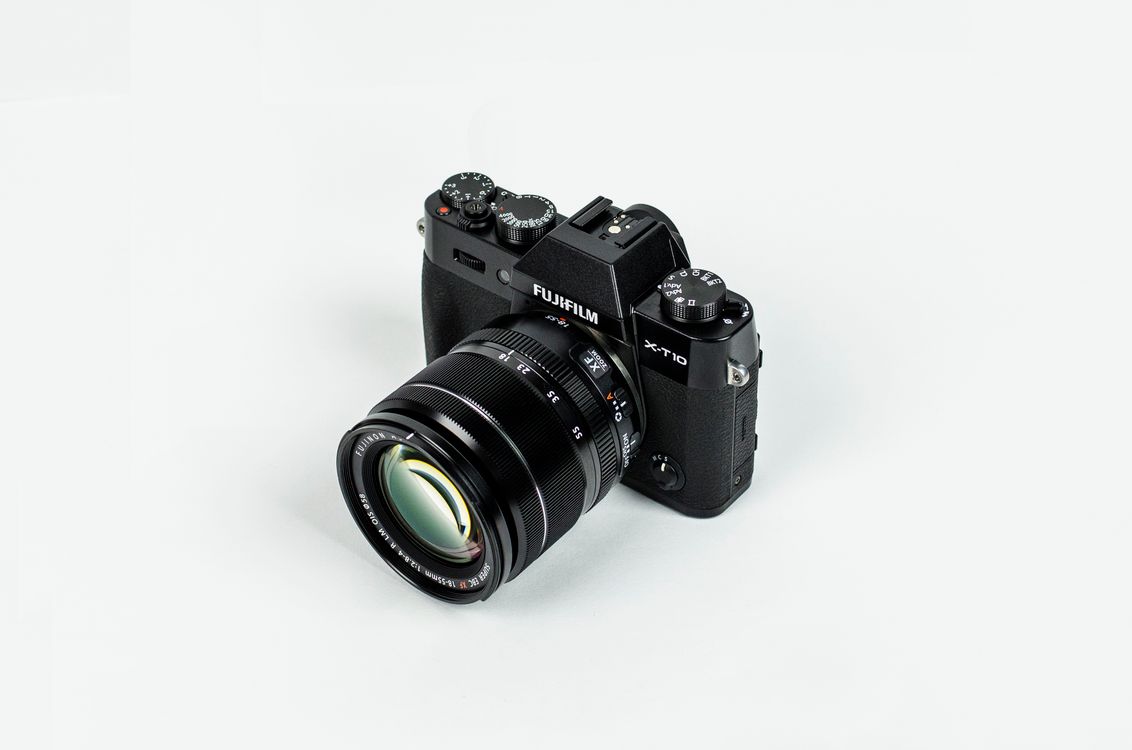
A classic white-background product shot. Photo: Pexels
A clean white background is not a style choice on the big marketplaces — it's a listing requirement. Amazon's product image policy requires the main image of most categories to sit on a pure white background (RGB 255, 255, 255), and listings that ignore it can be suppressed from search. The good news: you no longer need Photoshop or a paid service to comply. This guide covers the requirements for each marketplace, how to cut the background out for free, and how to export a file that passes review.
Amazon main images must use a pure white background (RGB 255,255,255), show the product filling roughly 85% of the frame, and be at least 1,000 px on the longest side to enable zoom (Amazon Seller Central product image requirements). You can remove a photo background for free in your browser with our AI background remover — the model runs locally, so product photos never leave your device. Export PNG for a transparent master, JPG with a flattened white background for the marketplace upload itself.
What Are the Product Image Requirements on Amazon, eBay and Etsy?
Each marketplace publishes its own image rules, but they converge on the same idea: a large, sharp photo of the product alone on a white or near-white background. Amazon is the strictest — its Seller Central guidelines require the main image to use a pure white background (RGB 255,255,255), with the product occupying about 85% of the frame, no logos, watermarks, or props, and at least 1,000 px on the longest side so shoppers can zoom (Amazon Seller Central, Product image requirements).
| Marketplace | Background rule (main image) | Recommended size | Source |
|---|---|---|---|
| Amazon | Pure white, RGB 255,255,255 — required | ≥ 1,000 px longest side (1,600 px+ recommended for zoom) | Amazon Seller Central |
| eBay | White or neutral background recommended | ≥ 500 px longest side; 1,600 px recommended | eBay photo guidelines |
| Etsy | No strict rule; clean, well-lit backgrounds recommended | 2,000 px on the shortest side recommended for zoom | Etsy Seller Handbook |
| Shopify (your own store) | Your choice; white keeps grids consistent | 2048 × 2048 px square recommended | Shopify Help Center |
| Walmart Marketplace | Pure white background required for the primary image | ≥ 1,000 px longest side | Walmart Seller Center |
Two practical takeaways from that table. First, shoot bigger than you think you need — a 2,000 px+ master file downsizes cleanly to every marketplace with a free image resizer. Second, "white-ish" isn't white: a light-gray backdrop photo that looks white to your eye usually reads as RGB values in the 230–245 range, which is exactly what background removal fixes.
How Do You Remove the Background From a Product Photo for Free?
The fastest route is a browser-based AI background remover: upload the photo, let the model detect the subject, and download a transparent PNG — the whole cycle takes under a minute for a typical product shot. Our background remover runs the AI model directly in your browser, which means the image is processed on your own device rather than uploaded to a server — relevant if you're photographing unreleased products.
The workflow, step by step:
- Upload the photo. JPG, PNG, and WebP all work. If your camera saved HEIC (the iPhone default since iOS 11), convert it first with a HEIC to JPG converter.
- Let the AI cut out the subject. Modern segmentation models handle hard edges (boxes, electronics) almost perfectly; hair, fur, and translucent materials may need the fine-detail mode.
- Review the edges at 100% zoom. Look for halos (leftover background pixels) around the outline and along handles, straps, and gaps in the product.
- Choose the output. Download a transparent PNG for maximum flexibility, or apply a solid white background before export for a marketplace-ready main image.
- Resize for the target marketplace. Downsize your master file per the table above with the resizer, and square-crop it with the crop tool if the platform prefers 1:1.

Apparel shots on textured backgrounds like this are prime candidates for background removal. Photo: Pexels
How Do You Shoot Product Photos That Are Easy to Cut Out?
Background removal quality is decided mostly at the moment you press the shutter, not in editing. An AI model separates subject from background using contrast, edges, and depth cues — so the more separation you give it, the cleaner the cutout. Five habits that make every cutout easier:
- Contrast beats color. Shoot a dark product on a light backdrop and vice versa. A white mug on a white sheet is the hardest case for any segmentation model.
- Move the product away from the backdrop. Even 30–50 cm of distance softens backdrop shadows and prevents color spill onto the product's edges.
- Use two light sources. One key light at 45° and one fill (even a white foam board reflector) kills the harsh shadow lines that get mistaken for product edges.
- Avoid busy textures behind fine details. Jewelry chains, mesh, and fabric weaves photographed against wood grain or brick force the model to guess.
- Shoot RAW or highest-quality JPG. Heavy in-camera compression creates blocky artifacts along edges — exactly where the cutout needs clean data. If your files are enormous, compress after editing with an image compressor, not before.
A cheap lightbox or two sheets of white foam board angled into a "V" behind and beside the product will out-perform an expensive camera on a cluttered desk every time. Segmentation accuracy depends far more on lighting evenness and background separation than on megapixel count — a clean phone photo on a good backdrop beats a DSLR shot in a messy room.
Which File Format Should You Export: PNG or JPG?
Export a transparent PNG when the image will be placed on different backgrounds later — your website, ads, seasonal banners. Export a flattened JPG on a white background when uploading a marketplace main image, because JPG files are dramatically smaller and no marketplace displays transparency on the main image anyway (a transparent PNG shows on whatever background color the platform uses, which can be gray in dark mode).
Quick decision rules:
- Amazon/eBay main image → JPG, white background baked in, longest side ≥ 1,600 px.
- Your own store or ad creative → transparent PNG master; convert copies to WebP for the web with a PNG to WebP converter to cut file size.
- Sharing a proof with a client over email → JPG at 60–80% quality; run it through the compressor if it's above 1 MB.
If you're unsure how the formats differ, our PNG vs JPG vs WebP guide breaks down when each one wins, and our image compression guide covers getting the file size down without visible quality loss.
Building a Full Listing Photo Set, Not Just One Hero Shot
The white-background main image is only the first of several required or recommended shots. A complete, conversion-ready listing photo set typically includes:
| Shot | Background | Purpose |
|---|---|---|
| Main / hero image | Pure white (required on Amazon/Walmart) | Search results thumbnail and default listing image |
| Alternate angles (2–4 shots) | White or lifestyle | Show scale, texture, and construction details |
| Lifestyle / in-use shot | Real environment | Helps buyers picture the product in their own life |
| Infographic / callout image | White or branded background | Highlights specs, sizing, or key selling points as text overlays |
| Packaging shot | White or neutral | Sets expectations for what arrives, reduces "not as described" returns |
Only the main image needs the strict pure-white treatment; gallery images have far more creative latitude on every marketplace. Batch-process the whole set with the same resize → background-remove → export pipeline so the shots feel consistent as a group.
Why Marketplaces Enforce This So Strictly
The pure-white rule isn't arbitrary aesthetics — it exists so that thousands of competing listings in a search grid render as a visually consistent wall of products, letting shoppers compare items at a glance without inconsistent backgrounds distracting from the product itself. It also simplifies automated image-quality checks: a script can verify "is this pixel exactly 255,255,255" far more reliably than it can judge "does this look professional." Sellers who treat the requirement as a technicality to route around rather than a search-quality mechanism to work with tend to have listings suppressed repeatedly, since resubmitting a slightly-off-white image usually fails the same automated check again.
Case Study: From Cluttered Desk Photo to Amazon-Ready Listing
A worked example of the full pipeline on a real seller scenario — a wireless mouse photographed on a cluttered home desk, needed as a compliant Amazon main image within the hour:
| Step | Action | Result |
|---|---|---|
| 1. Original | Phone photo, desk background, mixed lighting | 4,032 × 3,024 px, off-white/gray backdrop |
| 2. Background removal | Upload to the background remover, cut out subject | Transparent PNG, clean edges around cable and buttons |
| 3. White fill | Apply solid RGB 255,255,255 background | Passes the strict pure-white pixel check |
| 4. Crop | Crop tool to square 1:1, product filling ~85% of frame | Meets Amazon's framing guidance |
| 5. Resize + export | Resize to 1,600 × 1,600 px, export JPG quality 85 | Amazon-compliant main image, ~180 KB, ready to upload |
Total time for one image: under five minutes, entirely in the browser, with no software installed and no per-image fee. Scaling this to a 20-SKU catalogue is the same five steps repeated, or batch-processed where the tool supports it.
Comparing Your Editing Options
Sellers typically choose between three approaches for background work, each with a real trade-off:
| Method | Cost | Speed | Quality ceiling |
|---|---|---|---|
| Manual selection in Photoshop/GIMP | Software licence + your time | Slowest — minutes per image | Highest, with skill |
| Browser-based AI background remover | Free | Seconds per image | Very high for most product categories |
| Outsourced photo-editing service | $0.50–3 per image typical | Turnaround hours to days | High, but you lose control of iteration |
AI background removal has closed most of the quality gap with manual editing for typical hard-edged product categories (electronics, tools, packaged goods); manual editing still has an edge on the hardest cases — fine hair, wispy fur, and semi-transparent materials like glass or sheer fabric — where a skilled editor's judgment beats automated edge detection.
What Are the Most Common White-Background Mistakes?
Most rejected or poorly converting product images fail for one of four predictable reasons — all fixable in minutes:
- Off-white backgrounds. A photographed backdrop is rarely RGB 255,255,255. Removing the background and adding a digital white layer guarantees compliance.
- Halo edges. A one-pixel fringe of the old background around the product screams "bad cutout" at zoom. Use edge refinement or re-run removal in a higher-quality mode.
- Amputated shadows. Deleting the background but keeping a hard floor shadow leaves a floating gray blob. Either remove the shadow entirely or add a soft synthetic drop shadow.
- Upscaled small photos. Enlarging an 800 px photo to meet a 1,600 px requirement produces visible softness. Always shoot large and scale down, never up — the resizer warns you when you're enlarging.
Amazon's image-quality review is partly automated and does check for near-white backgrounds rather than a strict single value — but "close enough to the eye" is not the same as compliant, and manual or automated flags for off-white backgrounds are a common, entirely avoidable cause of listing suppression. When in doubt, run the shot through background removal and add a true white fill rather than trusting a photographed backdrop.
Free Tools for This Workflow
- Background Remover — AI cutout that runs privately in your browser
- Image Resizer — hit exact marketplace pixel dimensions
- Crop Image — square-crop for 1:1 listing grids
- Image Compressor — shrink files for fast page loads
- HEIC to JPG — convert iPhone photos before editing
- All image tools — the full toolbox
Frequently Asked Questions
Does Amazon really require a pure white background?
Yes — for the main image in most categories. Amazon's Seller Central product image requirements specify a pure white background (RGB 255,255,255) for the primary image, with the product filling about 85% of the frame. Additional images in the gallery can use lifestyle backgrounds.
Is it better to photograph on white or remove the background digitally?
Do both: shoot on a light, even backdrop for clean edges, then remove the background digitally to guarantee true RGB 255,255,255. A photographed "white" backdrop almost always contains gray tones and shadows that fail a strict pixel check.
Can I remove a background without uploading my photo to a server?
Yes. Browser-based AI removers like our background remover download the model to your device and process the image locally, so the photo never leaves your computer — useful for confidential or unreleased products.
What resolution should my product photos be?
Shoot a master at 2,000 px+ on the shortest side, then downsize per platform: Amazon wants at least 1,000 px (1,600 px+ for good zoom), eBay recommends 1,600 px, and Etsy recommends 2,000 px on the shortest side. Scaling down preserves sharpness; scaling up never does.
Should the final file be PNG or JPG?
JPG for marketplace uploads (smaller, universally supported, transparency isn't shown anyway); transparent PNG for your design master. Convert between them free with the JPG↔PNG converters.
How many photos does a marketplace listing actually need?
Amazon allows up to 9 images per listing and recommends using most of them; eBay and Etsy have similar galleries. A minimum viable set is one white-background main image plus 3–4 alternate angles or lifestyle shots — more images consistently correlates with higher conversion on every major marketplace.
Do I need professional lighting equipment to get a clean cutout?
No — a window's indirect daylight or a pair of inexpensive LED panels with a white foam board reflector is enough for most product categories. What matters more than equipment cost is even, shadow-free lighting and clear separation between the product and its backdrop, both of which are achievable with a very small budget.
Will a white background hurt my branding compared to a lifestyle shot?
Not for the main image — shoppers expect a plain, comparable product view first and use gallery images for lifestyle context and brand personality. Save distinctive branded backgrounds for the secondary gallery images, where every major marketplace gives sellers far more creative freedom.
Can I reuse the same white-background photo across multiple marketplaces?
Usually yes for the core cutout, but resize per platform's recommended dimensions rather than uploading one fixed size everywhere — Amazon, eBay, and Etsy each have slightly different recommended pixel dimensions, and a master file resized correctly for each avoids unnecessary cropping or letterboxing by the platform's own display logic.
- Amazon's main image must be pure white (RGB 255,255,255), product filling ~85% of the frame
- Photographed "white" backdrops usually read as off-white — digital background removal guarantees a true white
- Shoot with contrast and separation from the backdrop for a clean AI cutout, then export a flattened JPG for uploads
- Only the main image needs strict white; gallery images can use lifestyle or in-use backgrounds
- Never upscale a small photo to hit a size requirement — always shoot larger than the minimum and scale down
Frequently Asked Questions
Our Methodology
All images content on CalculatorApp.me is reviewed by subject-matter experts, cross-referenced with official sources, and updated regularly for accuracy. Our formulas and data are verified against industry standards and government publications.
Jordan Hayes
Verified AuthorPersonal Finance Content Strategist
Jordan is a personal finance content strategist with 9+ years writing about mortgages, retirement, tax strategy, and budgeting. Every guide is cross-referenced with IRS publications, Federal Reserve data, and CFPB guidance to make complex calculations accessible. Editor at CalculatorApp.me.
Found this helpful? Share it!
Stay Updated
Get notified when we launch new calculators and features.
No spam. Unsubscribe anytime.